
Download IBM Lotus Symphony – Free Desktop Office Suite for Windows, Mac & Linux
Overview
IBM Lotus Symphony is a completely free, desktop‑based office suite that bundles a word processor, spreadsheet, and presentation tool into a single, cohesive environment. Built on the same open‑source foundation as Apache OpenOffice, Symphony adds IBM’s polish, a streamlined single‑window interface, and enhanced compatibility with Microsoft Office 2007‑plus file formats. While it may not claim the exhaustive feature list of Microsoft 365 or Google Workspace, Lotus Symphony delivers everything most users need for everyday document creation, data analysis, and slide design.
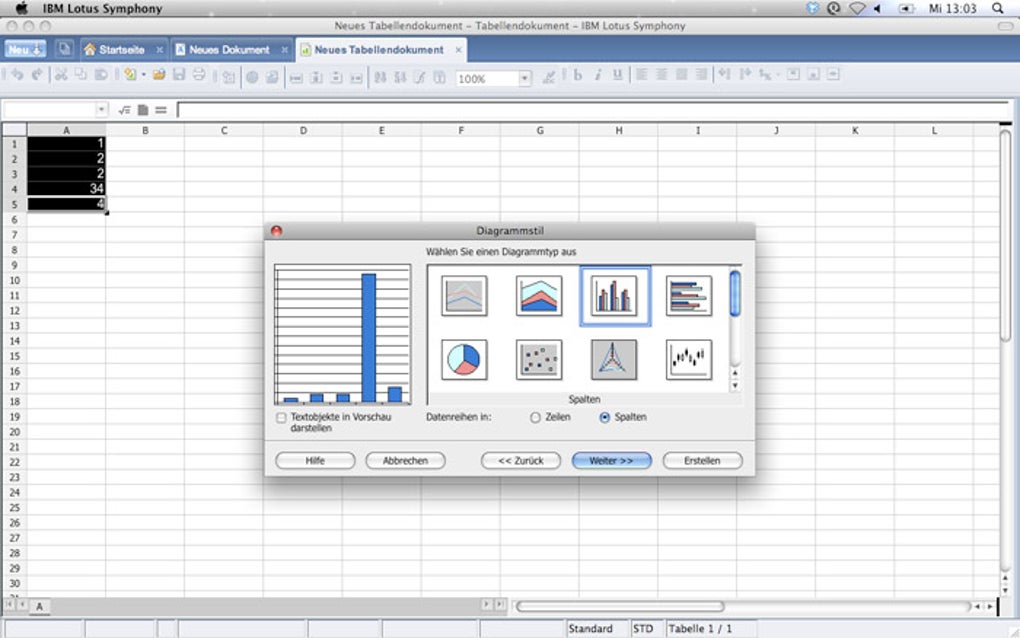
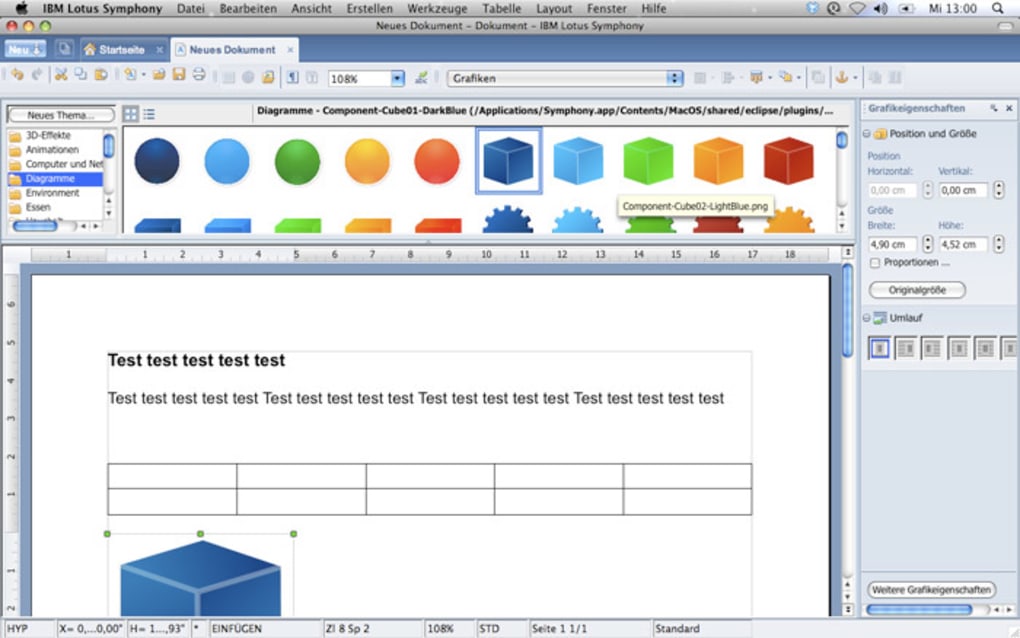
Its tab‑based document management lets you open multiple files—whether they’re text documents, spreadsheets, or slides—simultaneously and switch between them without juggling separate windows. The suite also includes essential utilities such as a spell checker, table creation tools, pre‑designed presentation templates, and a variety of chart types for spreadsheets. For anyone looking for a secure, no‑cost alternative to commercial office software, IBM Lotus Symphony offers a stable, fully functional platform that runs on the most common operating systems.
Key Features of IBM Lotus Symphony
- Unified Single‑Window Interface: One toolbar adapts dynamically to the active document type, reducing clutter and learning curve.
- Full Compatibility with MS Office 2007‑plus: Open, edit, and save .docx, .xlsx, and .pptx files without conversion loss.
- Tabbed Document Management: Keep unlimited documents open across all three app types and switch with a click.
- Drag‑and‑Drop Editing: Enhanced drag‑and‑drop for text, images, and cells streamlines workflow.
- Password Protection: Secure sensitive documents with password encryption directly from the file menu.
- Spell Checker & Grammar Tools: Built‑in language support helps maintain professional quality writing.
- Rich Template Library: Hundreds of ready‑made templates for letters, invoices, reports, and slide decks.
- Charting & Data Analysis: A wide selection of charts, pivot tables, and formula functions for spreadsheets.
- Cross‑Platform Support: Available for Windows, macOS, and major Linux distributions.
- Free and Open Source Roots: While IBM provides the branding and support, the core remains open source, ensuring transparency.
Installation, Compatibility & Daily Usage
System Requirements and Compatibility
IBM Lotus Symphony runs on Windows 7/8/10/11 (both 32‑bit and 64‑bit), macOS 10.10 and later, and popular Linux distributions such as Ubuntu, Fedora, and OpenSUSE. The installer is lightweight (≈150 MB) and does not require additional runtime packages, making it suitable for older hardware that cannot comfortably handle modern Office 365 suites.
Step‑by‑Step Installation Guide
- Visit the official IBM Lotus Symphony download page and click the Download for Windows (or macOS/Linux) button.
- Save the installer (.exe, .dmg, or .tar.gz) to your preferred folder.
- Run the installer with administrator privileges. The wizard will guide you through language selection, installation directory, and optional desktop shortcuts.
- After installation, launch Symphony. The first run may prompt you to download additional language packs; these are optional but recommended for multilingual users.
- Accept the End‑User License Agreement (EULA) and click Finish. The suite will open to the welcome screen, offering a quick tour of the interface.
Everyday Workflow Tips
Once installed, using Lotus Symphony is intuitive. Click the Open button on the start screen, then choose the type of document you want—Word, Spreadsheet, or Presentation. The toolbar instantly reconfigures: the word processor shows text‑formatting icons, the spreadsheet reveals cell‑formula options, and the presentation mode displays slide‑design tools.
To create a new file, select New from the same menu and pick a template. You can keep multiple files open in tabs across the top of the window, switching between a financial report, a project proposal, and a slide deck without losing context. For power users, the Drag‑and‑Drop feature lets you pull images from the file explorer directly onto a document, and the Password Protection option is accessible via File → Protect → Encrypt with Password.
Regularly check for updates through Help → Check for Updates to stay on the latest, most secure version.
Pros and Cons – A Balanced Look
Pros
- Completely free with no hidden subscription fees.
- Single‑window, tab‑based UI reduces desktop clutter.
- Strong compatibility with Microsoft Office 2007‑plus formats.
- Cross‑platform support for Windows, macOS, and Linux.
- Built‑in password protection and secure file handling.
- Lightweight installer suitable for older machines.
- Open‑source heritage provides transparency and community contributions.
Cons
- Lacks some advanced features found in Microsoft 365 (e.g., real‑time co‑authoring, AI‑driven suggestions).
- Template library, while extensive, is not as modern as commercial counterparts.
- No native cloud‑sync; users must rely on third‑party storage solutions.
- Occasional UI quirks on macOS (e.g., menu bar placement).
- Limited official support channels compared to paid suites.
Overall Rating: 4 out of 5 stars – IBM Lotus Symphony delivers a solid, free desktop office experience that meets the core needs of students, freelancers, and small businesses.
Frequently Asked Questions
Is IBM Lotus Symphony truly free or are there hidden costs?
Yes, Lotus Symphony is completely free. IBM provides it at no charge, and there are no subscription fees, in‑app purchases, or hidden costs. Users can download, install, and use all core features without paying a cent.
Can I open and edit Microsoft Office .docx, .xlsx, and .pptx files?
Absolutely. IBM Lotus Symphony includes enhanced compatibility for Microsoft Office 2007 and later file formats. You can open, edit, and save .docx, .xlsx, and .pptx files while preserving most formatting and embedded objects.
Is Lotus Symphony compatible with macOS Ventura and the latest Windows 11 updates?
Yes. The suite is officially supported on macOS 10.10 and later (including Ventura) as well as Windows 7 through Windows 11. IBM regularly releases patches to ensure smooth operation on the newest OS releases.
How does the password protection feature work?
When you select File → Protect → Encrypt with Password, Symphony encrypts the document using AES‑256 encryption. You’ll be prompted to enter the password each time you open the file, providing an extra layer of security for sensitive data.
Does Lotus Symphony offer cloud storage integration?
Lotus Symphony itself does not include built‑in cloud sync. However, you can store files in any third‑party cloud service (Google Drive, Dropbox, OneDrive, etc.) and open them directly from the suite. Future updates may add tighter integration based on user demand.
Conclusion – Should You Download IBM Lotus Symphony?
If you’re searching for a secure, free desktop office suite that works across Windows, macOS, and Linux, IBM Lotus Symphony is a compelling choice. Its single‑window design, robust compatibility with Microsoft Office formats, and essential productivity tools make it suitable for students, freelancers, and small‑to‑medium businesses that do not require the full breadth of cloud‑centric features found in paid alternatives. While it may lack some advanced collaboration and AI‑driven capabilities, the suite’s stability, zero‑cost model, and open‑source heritage provide a trustworthy foundation for everyday document creation. Download IBM Lotus Symphony today, give it a spin, and decide for yourself whether this free tool can replace—or at least supplement—your current office workflow.
Ready to boost your productivity? Click here to download IBM Lotus Symphony now and enjoy a full-featured office suite without spending a dime.







